The decimal question type collects numbers that may include a fractional part (e.g. 3.14, 72.5). It triggers a numeric keyboard on mobile and supports the same appearance options as the text type for layout and formatting.
Basic XLSForm Specification
| type | name | label |
|---|---|---|
| decimal | weight_kg | Weight (kg) |
| decimal | height_m | Height (m) |
| decimal | temperature | Body temperature (°C) |
For the standard specification see the XLSForm documentation (opens in a new tab).
Appearance options
number-hspinner — horizontal spinner
Replaces the input with a horizontal − value + spinner. Tapping minus/plus adjusts the value by the configured step.
number-hspinnerThe displayed value is formatted with one decimal place (e.g. 3.0, 72.5). Default step is 1; use hspinner() to set a decimal step.
Customize button shape and step using hspinner():
number-hspinner hspinner('left-small-square','right-small-square','0.1')Parameters: left button shape, right button shape, step value. Use a decimal step like 0.5 or 0.1 for fine-grained control.
Custom colors using colors():
number-hspinner colors(0099FF,FFFFFF,FF5500,FFFFFF)Four values in order: left-button background, left-button icon, right-button background, right-button icon.
thousandsep — thousands separator
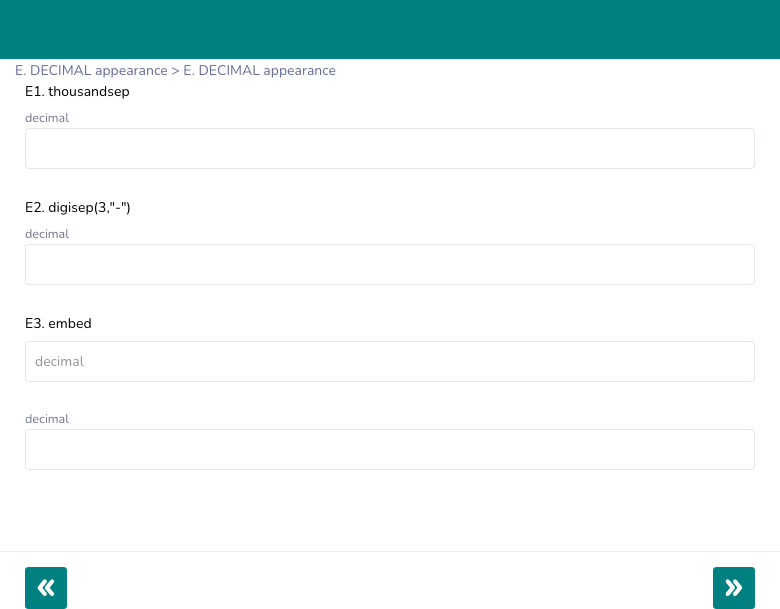
Formats the displayed number with comma grouping (e.g. 1,234.56). The raw number is stored without commas. Input type is switched to "text" to allow the formatted display.
thousandsepdigisep(n, "sep") — custom digit grouping
Groups integer-part digits into blocks of n separated by a custom separator.
digisep(3," ") → 1 234 567.89Input type is switched to "text" when this appearance is active.
textonly — force text keyboard
Forces type="text" on the input element. Prevents browser number-input quirks (hiding trailing zeros, desktop spin arrows) while still accepting decimal values.
textonlyfloating_hint — hint floats as label
The hint text renders inside the input as a placeholder. When the user starts typing, it floats above the field as a label.
floating_hintembed — hint inside input boundary
Similar to floating_hint — the hint sits inside the input boundary when empty. It does not float when the user types.
embedtextpopup — modal dialog input
Tapping the field opens a modal dialog with a larger input. Useful on small screens.
textpopupcharcount — live character counter
Displays a live (n) character count below the input, updated as the user types.
charcountprefix(expr) — prepend a prefix
Prepends a static or calculated string to the displayed value. The stored value does not include the prefix.
prefix('USD ')          → displays "USD 72.50", stores "72.50"
prefix(${currency})     → dynamic prefix from another field
align_answer — input text alignment
Controls the horizontal alignment of the typed value inside the input.
align_answer = left
align_answer = right
align_answer = center
inputs{qrscan} — QR / barcode scan into field
Adds a QR code scan button next to the input. Opens the camera scanner and populates the field with the scanned value.
inputs{qrscan}Appearance quick reference
| Appearance | Widget rendered |
|---|---|
| (none) | Number input (type="number") — numeric keyboard on mobile |
number-hspinner | Horizontal − value + spinner, one decimal place displayed |
number-hspinner hspinner(...) | Spinner with custom button shape and step |
number-hspinner colors(...) | Spinner with custom button colors |
thousandsep | Comma-grouped number display |
digisep(n,"sep") | Custom digit grouping |
textonly | Force text keyboard |
floating_hint | Hint floats above field while typing |
embed | Hint inside input boundary |
textpopup | Tap to open modal dialog |
charcount | Live character count below input |
prefix(expr) | Prepend static or dynamic prefix |
align_answer = left/right/center | Input text alignment |
inputs{qrscan} | QR/barcode scan button |
Constraints and validation
| type | name | label | constraint | constraint_message |
|---|---|---|---|---|
| decimal | weight | Weight (kg) | . > 0 and . <= 500 | Enter a value between 0 and 500 |
| decimal | height | Height (m) | . > 0 and . <= 3 | Enter a value between 0 and 3 |
| decimal | temp | Temperature (°C) | . >= 35 and . <= 42 | Normal temperature: 35°C–42°C |
| decimal | percentage | Percentage | . >= 0 and . <= 100 | Enter a value between 0 and 100 |
Example — measurement form
| type | name | label | appearance | constraint | constraint_message |
|---|---|---|---|---|---|
| decimal | weight_kg | Weight (kg) | number-hspinner hspinner('left-small-square','right-small-square','0.5') | . > 0 and . <= 300 | Enter a valid weight |
| decimal | height_m | Height (m) | number-hspinner hspinner('left-small-square','right-small-square','0.01') | . > 0 and . <= 3 | Enter a valid height |
| calculate | bmi |
BMI calculation column:
${weight_kg} div (${height_m} * ${height_m})Best Practices
- Use
number-hspinner hspinner(..., '0.1')for measurements requiring one decimal of precision — the spinner auto-formats to one decimal place, keeping values consistent. - Use
textonlywhen browsers add unwanted spin controls or truncate trailing zeros (e.g.3.0displayed as3). - Use
thousandsepfor large financial values so respondents can verify they entered the correct magnitude. - Enforce range constraints rather than relying on mobile keyboard type alone.
Limitations
- The spinner always displays one decimal place — if you need more precision in the displayed value, use the plain input instead.
thousandsepanddigisep()store the raw number — do not read the formatted display value in calculations.